Tray and Material#
Before introducing the containers in the warehouse, we will explain two basic topics: the Tray and the Material.
Tray#
The Tray, as the name suggests, is a “material container” that you can find inside the Warehouse. Its main purpose is to store some materials. Each Tray can be placed anywhere in the Warehouse.
In the Simulator Automatic Warehouse library, the Tray is a unit that can be modelled using the basic dimensions: length, width and maximum height (limit to avoid placing a material too high).
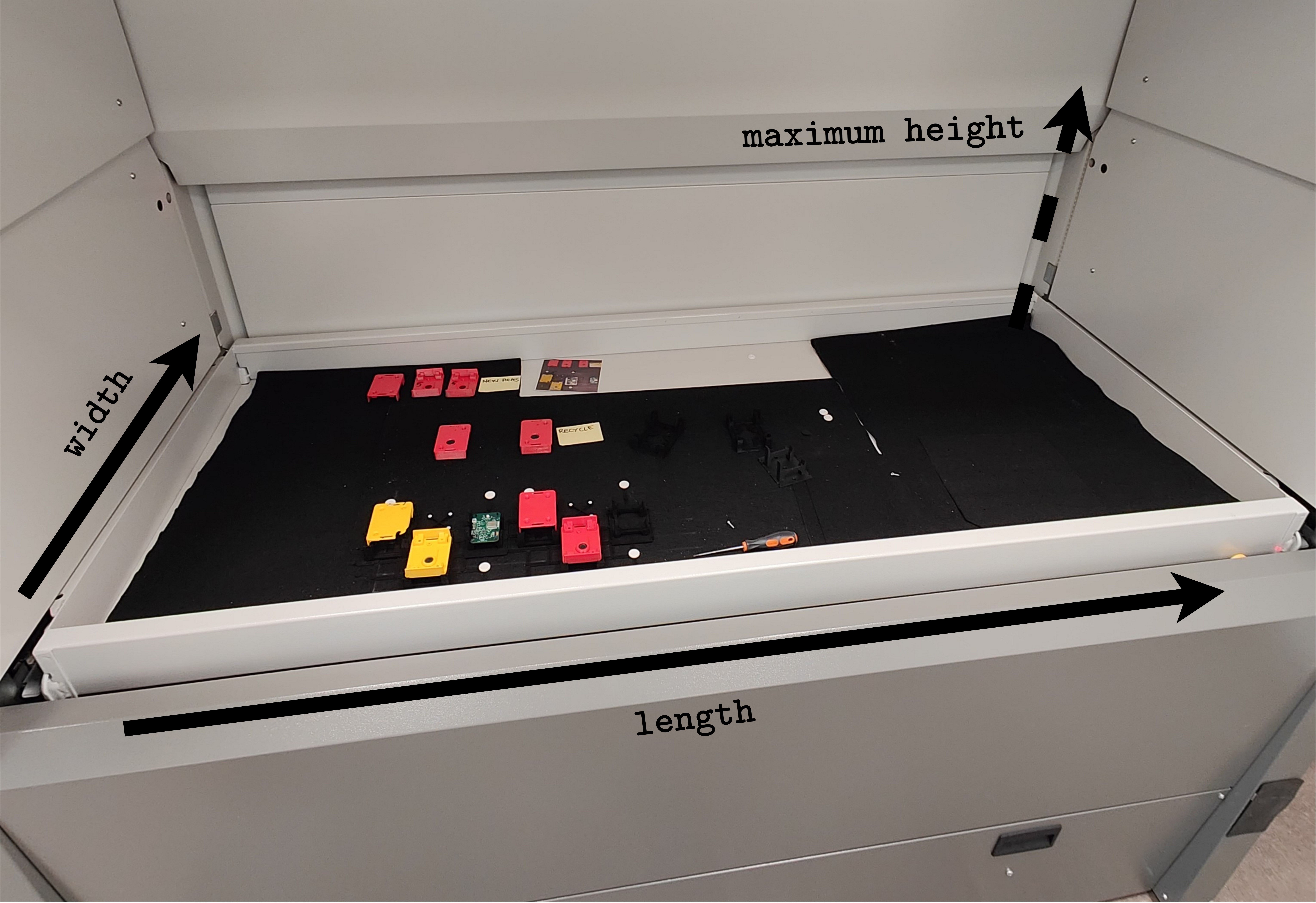
General tray dimensions.#
As we are building the Simulator Automatic Warehouse library, each tray can contain as much material as you want. Unfortunately there is no limit. This behaviour will be fixed in the next releases. Obviously, only those materials that have the allowed dimensions can be placed in the tray. If you try to put a long material (for example) into a tray that is too small, the library throws an exception.
Do you not want to create each tray to be inserted in the warehouse? No problem, we have created some useful methods to help you. In the API Reference section, you can see some random generation that will help you randomise your custom Digital Twin.
Material#
The material is the atomic element that can be added to a tray. In the Simulator Automatic Warehouse, a material is a class that contains some information such as barcode, name, height, length and width.
Like the Tray class, the Material class contains some useful methods for generating random materials.